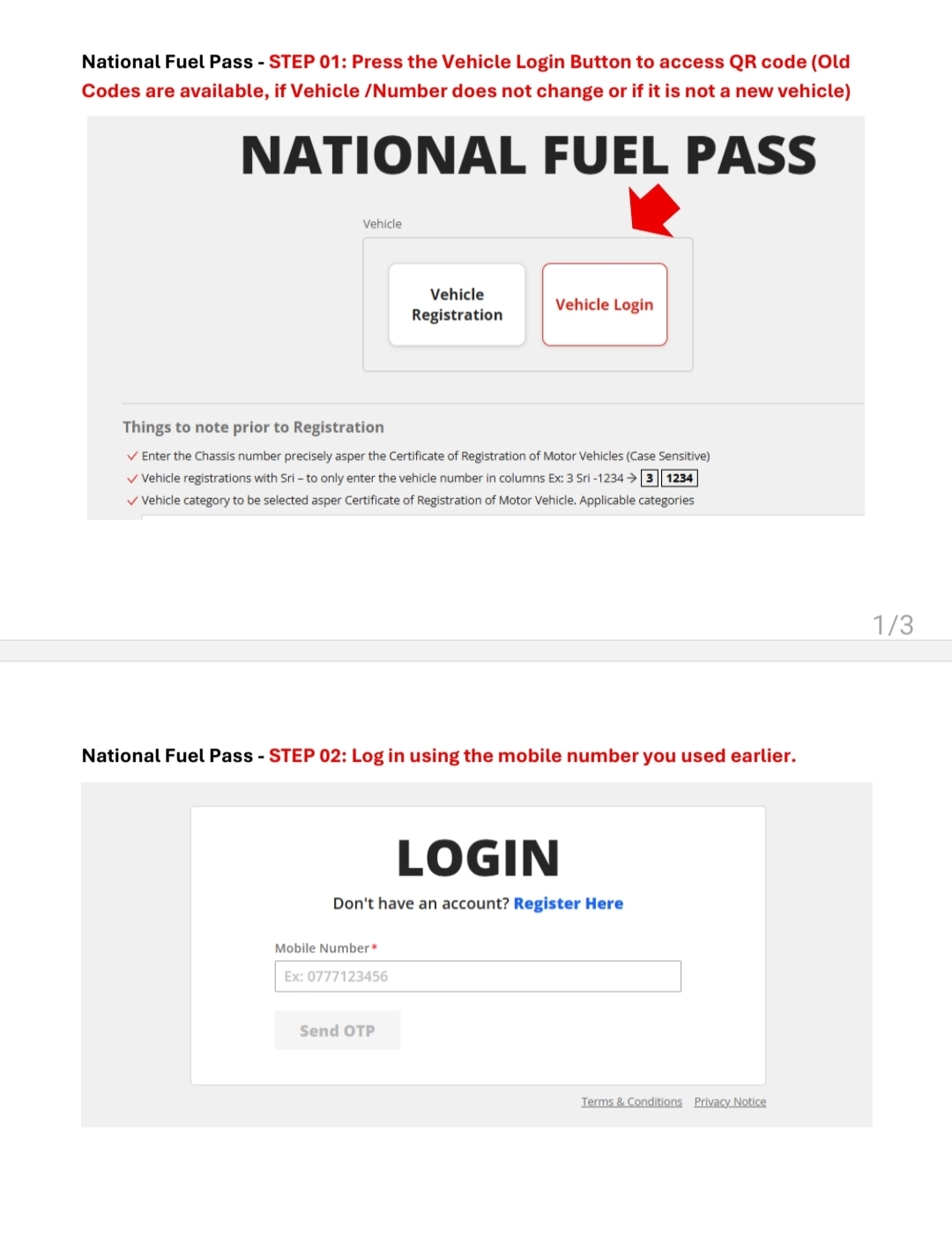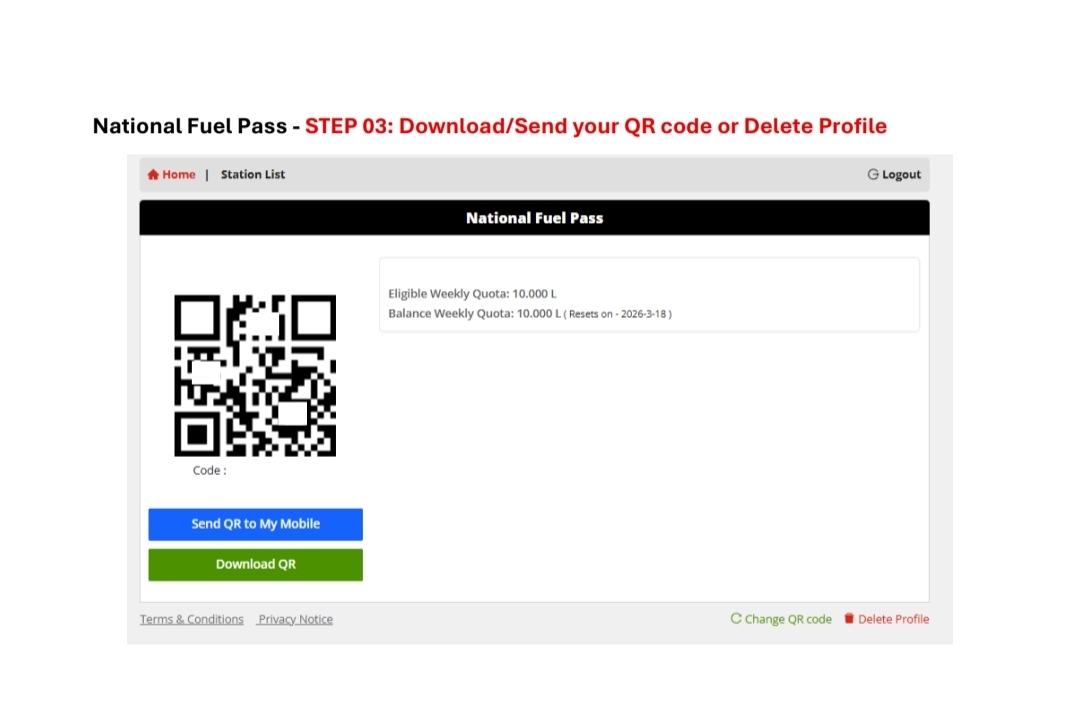

Government to implement QR Code system for fuel distribution from 6:00 AM today (15 March).
Fuel will not be issued without a registered QR Code, according
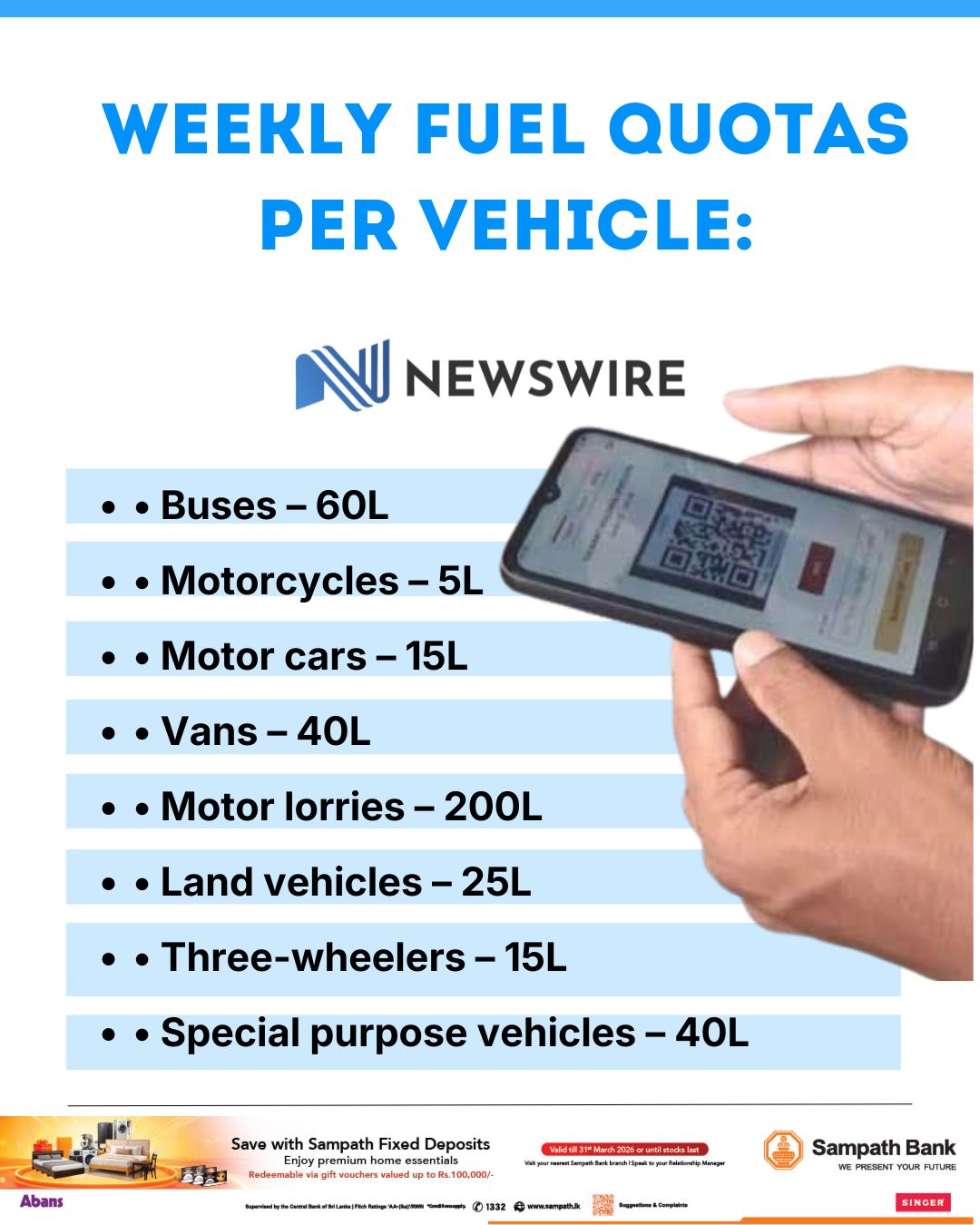
Weekly fuel quotas per vehicle:
• Buses – 60L
• Motorcycles – 5L
• Motor cars – 15L
• Vans – 40L
• Motor lorries – 200L
• Land vehicles – 25L
• Three-wheelers – 15L
• Special purpose vehicles – 40L
To register for a Fuel Pass, visit http://fuelpass.gov.lk and follow the registration process, after which a unique Fuel Pass in the form of a QR code will be displayed – which can be saved on a mobile device or printed to be produced at fuel outlets
https://share.google/UVQADndNCRXt8x8Ew
How to use the National Fuel QR Code system ⛽📱
A quick guide on registering and using the QR code for fuel under the reintroduced system in Sri Lanka pic.twitter.com/9OvYyGkiid
— NewsWire 🇱🇰 (@NewsWireLK) March 14, 2026
Steps to Obtain the QR Code
1. Users who have already registered for the QR Code
i. Users whose vehicle ownership and registered mobile number remain unchanged since their initial registration may download their QR Code from the website https://fuelpass.gov.lk/ starting from midnight on 14.03.2026, using the ‘Vehicle Login’ button.
ii. Users whose vehicle ownership or registered mobile number has changed since their last registration are required to re-register their details through the website https://fuelpass.gov.lk/ starting from 6.00 a.m. on 15.03.2026, using the ‘Vehicle Registration’ button.
2. Users who have not previously registered for the QR Code and users with newly registered vehicles at the RMV
i. Registration can be completed starting from 06.00 a.m. on 15.03.2026 through the website https://fuelpass.gov.lk/, using the ‘Vehicle Registration’ button.